
Blockquote Code:
blockquote {
margin : 0 20px;
padding: 60px 30px 40px 20px;
background : #F1F8FE url(https://blogger.googleusercontent.com/img/b/R29vZ2xl/AVvXsEi_br9O1IaqEIMg-CdQSngzXqdNkzo9wNEVEoCeme-9GWp6CMvmTmNZ8fiXO9qcE4ofSk0vWTXvn_UdONZGm8F8V_Iv-KLCHqX9Air1EOus5H850QGQ5UN2DPc7FiZd_c7WYNLSNjwhyphenhyphentc/s400/owl.png) no-repeat 350px 5px;
font: normal .9em "comic sans ms", Courier,"Times New Roman", Times, serif;
color : #000;
border-left: 8px dotted #DAB547;
}
blockquote p {
margin: 0;
padding-top:10px;
}
Blockquote With a Purple Corner Label and Border At Bottom
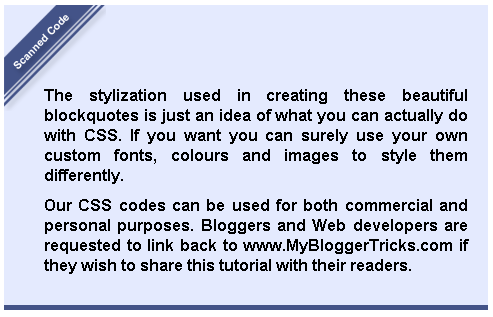
Blockquote Code:
.post blockquote {
margin : 0 20px;
padding: 70px 20px 20px 40px;
background : #E4EAFE url(https://blogger.googleusercontent.com/img/b/R29vZ2xl/AVvXsEiT4LSyZxDO6eZtYpvcd9WtlBJ4Q1Zp-pe_o0IIn80R6-bmBuvBNAH7ZOKE8y0vzUjQqUshZrE7BhtfI1jIMJb4tySDJZ0b-YQRnA6GT2hVudINn2Qv1py1vihaQqFFmw6zhCXNfcO5nyg/s400/angular-purple.gif) no-repeat top left;
font: bold 1em Helvetica, verdana, Georgia, "Times New Roman", Times, serif;
color : #000;
border-bottom : 5px solid #435388;
}
.post blockquote p {
margin: 0;
padding-top:10px;
}
Jigsaw Blockquote With An Image At Right Corner

Blockquote Code:
.post blockquote {
margin : 0 20px;
padding: 10px 20px 25px 20px;
background : #9FCFFF url(https://blogger.googleusercontent.com/img/b/R29vZ2xl/AVvXsEhPcqv2PlO8QvuAg2JUXtPCxig0xUA4oDwe9OlvR0G7CtJjG5lgk-T25KVnXztO53DUv6UqX822jyH0_eSeWsfkKshnBiaYiLMAOXn0YFvsrp7lQMlUdUo889PXis9AxFyILPOhWL4uiR4/s400/block22.gif) no-repeat right bottom;
font: bold .9em "comic sans ms", arial, Helvetica,verdana, Georgia;
color : #484848;
border: 5px dashed #fff;
}
.post blockquote p {
margin: 0;
padding-top:10px;
}
Blockquotes With Classic Left Borders
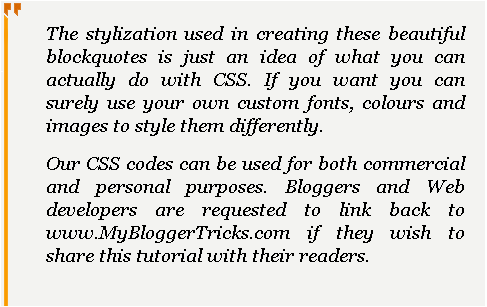
Blockquote Code:
.post blockquote {
background: #F3F3F1 url(https://blogger.googleusercontent.com/img/b/R29vZ2xl/AVvXsEgZ24jHTvtGjAe08ixUUq9WwT4yPuIJj0JaN2fxw6C95YrzfvdoKc1twn3q8hI8OmOY9ZMmoDRH7czhiittwZXAC4HTzp-ucOnqdiTdKYXegFDuC5f5m2H-DWw-ZEKo96UCqIeLxNOic90/s1600/comma-side-orange1.gif) ;
background-position:;
background-repeat:repeat-y;
margin: 0 20px;
padding: 20px 20px 10px 45px;
font-size: 0.9em;
font: italic 1.2em Georgia, "Times New Roman", Times, serif;
}
.post blockquote p {
margin: 0;
padding-top: 10px;
}

Blockquote Code:
blockquote {
background: #484B52 url(https://blogger.googleusercontent.com/img/b/R29vZ2xl/AVvXsEg3UAOdz8Nj-ZZOeVMFloNCZ_QvRnbxhm-4OD-AC0deKJy6GgR4LdR-iPsyp6szPN_43Vlcl1n1D2oFTczZwGGQMWDvQPU09zv8npZkBQvbR2Ziae0mBKNaKzC0a__u1C_wCp2dxf6Tqik/s1600/green-black-side.gif) ;
background-position:;
background-repeat:repeat-y;
margin: 0 20px;
padding: 20px 20px 20px 50px;
color:#C7CACF;
font: normal 0.9em Helvetica, verdana, serif, Georgia, "Times New Roman";
}
.post blockquote p {
margin: 0;
padding-top: 10px;
}
Blockquote With A Brown Corner Label

Blockquote Code:
.post blockquote {
margin : 0 20px;
padding: 20px 60px 80px 20px;
background : #FEE4E3 url(https://blogger.googleusercontent.com/img/b/R29vZ2xl/AVvXsEiFptj91IUWejvBY9EIzwSFyR5-EuXciQLg_F7UUFNKm7IBKTnksa5G6Cs29I6YJgwNh8PeBAShPa5-vRds-ULYiTxDv8aKH-E16vHgd30CA5okm-snUK2bJ2-8dbaNodxBOHHkEi16UFs/s400/angular-right.gif) no-repeat bottom right;
font: bold italic 1em Georgia, verdana, Helvetica, "Times New Roman", Times, serif;
color : #000;
border: 1px solid #DDD;
}
.post blockquote p {
margin: 0;
padding-top:10px;
}
 Blockquote Code:
.post blockquote {
font: 18px normal Tahoma, sans-serif;
padding-top: 10px;
margin: 5px;
background: url(https://blogger.googleusercontent.com/img/b/R29vZ2xl/AVvXsEiEm_SRv_h4YM7meT8gmQRZT6mBTsA_bIN9Zx3VEk0u7iqZdnwEsq3dPcnBcpqIqAnPuMOJtljx3oHreh53RQdnnKFvRz-jwp0sWiCIhce4PlYti-Pwl68yuGsVGwtBviYOnWTAUDQLNz0/s400/comma-left.gif) no-repeat top left;
text-indent: 65px;
}
.post blockquote div {
display: block;
background: url(https://blogger.googleusercontent.com/img/b/R29vZ2xl/AVvXsEhF3oTEyC43rJHd8Qycpqd9t9qnhgV8m85J-T1zXz_Ezo7piMrWc93QWHlb7GBkbOOwdDupXOt8pU9XyFECbULUcIWlpag04FnSUzpRMMG0fwVptw7S8Wxf7r2GSocalZYWR76hlfL4cWs/s400/comma-right.gif) no-repeat bottom right;
padding-bottom:10px;
}
.post blockquote p {
margin: 0;
padding-top:10px;
}
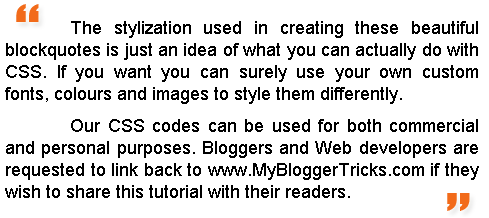
Blockquote Code:
.post blockquote {
font: 18px normal Tahoma, sans-serif;
padding-top: 10px;
margin: 5px;
background: url(https://blogger.googleusercontent.com/img/b/R29vZ2xl/AVvXsEhYmhPiztrlmzk1_QfSSxy2l_J7vtlTdyEyi2ho4tfldQtcnvw9W1gYhoG_078JbcFDJIN4hbUft1CtgY54laru68ZovHNCB6ByGUP_TLZfORYuk3q1PfeT6ZV1RsaDBGUj6F3D0YmzteQ/s400/comma1-left.gif) no-repeat top left;
text-indent: 65px;
}
.post blockquote div {
display: block;
background: url(https://blogger.googleusercontent.com/img/b/R29vZ2xl/AVvXsEhaBI3lkiVuVkn5_vMF9kMepW2pakFlFVfCmHMq9DuMRzsJhi9AAg_EPpLTCbM9gFeAtKG4Kq5KhcVEqIbnGwL370sEqSg6Z5X8nsbtNLHrVxG_9kxrgMJp9Bb36dumdyrvIIUPu1xbl04/s400/comma1-right.gif) no-repeat bottom right;
padding-bottom:10px;
}
.post blockquote p {
margin: 0;
padding-top:10px;
}

Blockquote Code:
.post blockquote {
font:bold italic .9em "comic sans ms", Tahoma, sans-serif;
padding-top: 25px;
margin: 5px;
background: url(https://blogger.googleusercontent.com/img/b/R29vZ2xl/AVvXsEjCOF7d1qknjIvZg7HYckrp5Z48mNQY88SeIwJSVRXs7QuNtO3si-NbSpKDoJgXBFxZo_ySIBDT5IXm5WtRQpc3Qd0OsidqPTWH-3mdWKBxtAVKAb1fJXEddzs9pCZyrhZXZXYjUsxmY2E/s400/left.gif) no-repeat top left;
text-indent: 65px;
color:#6299E4;
}
.post blockquote div {
display: block;
background: url(https://blogger.googleusercontent.com/img/b/R29vZ2xl/AVvXsEgjukkAuMx8jiR7fT9xNzzPcM-Ommx5iCXMkMk0y4snMZaWnew3BpAkZuOgOkpsJ8N3CjwG2BAkjqvdp8gx3nDBntL65gOzshYKU38SZtjYK5AitgDG8TciGsPbdMHdVGr9UA1idT3n9Fo/s400/right.gif) no-repeat bottom right;
padding-bottom:30px;
}
.post blockquote p {
margin: 0;
padding-top:10px;
}
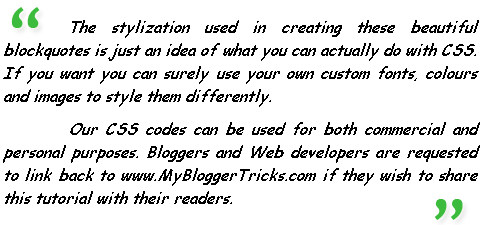 Blockquote Code:
.post blockquote {
font: italic 1em "comic sans ms", Tahoma, sans-serif;
padding-top: 10px;
margin: 5px;
background: url(https://blogger.googleusercontent.com/img/b/R29vZ2xl/AVvXsEijXqzhuKxYZNkck16MOskTnvHzNaM1Kk8npN4elATobG4iOoE5R-IMu46DPGSWLce5bLYOXKGIarDpXdmZlF-Jur4PMN-0lewKIw8Mrum19AfS4ygFyrlrxopNMKEXhe5c3N6LhIWF0wc/s400/comma2-left.gif) no-repeat top left;
text-indent: 65px;
}
.post blockquote div {
display: block;
background: url(https://blogger.googleusercontent.com/img/b/R29vZ2xl/AVvXsEj4sg0A6B8529sMWjfFdEvdhi_N9YQ_2SVhhps_-GhwVZm8SuyujJ6Ko8NTJIKCiF1u7G7q44ErWj7h4Ndws7-anzd-tc3I_Ep9xGdtUKso0fDvUrIgy-6ZbxDfiUdGKEJH3bQxOPgrwck/s400/comma2-right.gif) no-repeat bottom right;
padding-bottom:10px;
}
.post blockquote p {
margin: 0;
padding-top:10px;
}
Blockquote With Well Aligned Image At Top
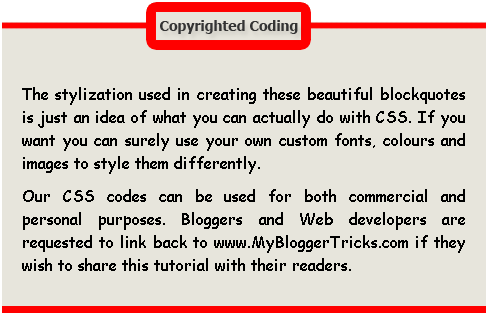
Blockquote Code:
.post blockquote {
margin : 0 20px;
padding: 70px 20px 20px 20px;
background : #E7E5DC url(https://blogger.googleusercontent.com/img/b/R29vZ2xl/AVvXsEioRPkBFJqgJLUF4Pu94RydVkXKndkdu_tXQRbB35x0E6WdvYYMCpjgnQqXzSS6lugBVj-r3FTp-yEmGhcVl3Brcll9wHOclHeH4nsFcH2Jur03M3GaeN6bIXgagRmWO286NX9uv6nszt4/s1600/block333.gif) no-repeat top;
font: normal 1em "comic sans ms",Helvetica, Courier,"Times New Roman", Times, serif;
color : #000000;
border-bottom : 7px solid #FF0000;
}
.post blockquote p {
margin: 0;
padding-top:10px;
}

Blockquote Code:
.post blockquote{
margin : 0 20px;
padding: 50px 30px 50px 30px;
background : #FFF url(https://blogger.googleusercontent.com/img/b/R29vZ2xl/AVvXsEifZBQP3T_xKs3vjDY5xGULaF_JUHHPBNKYuRX-gqawD5JKxqd95u1peNr4QNtzlE3vitVSjwHeEEZ4xoCY5ZMerrN3j1l4HfOPpWI1SA3OuSlZjSEDm99hBIcELt_krjjZ2lYAjzMkkCM/s1600/BLOCK1-TOP.gif) no-repeat top;
font: bold italic 1em Helvetica, verdana;
color : #000;
}
.post blockquote div{
background : #FFF url(https://blogger.googleusercontent.com/img/b/R29vZ2xl/AVvXsEia5k_fiKDCjCjGPO7Kt0fR_3e6rsQezU4W5FFkmB5T-0SKVhp3BtPkqFZqnkXYbnUTEcYwUtgtZ00cqDjNGDzdb8Qo1a7xNZR9vmdIOdZATzdLejlsg_Fw_cTw_O6FMAgn1bqYzFedjVk/s1600/BLOCK1-BOTTOM.gif) no-repeat bottom;
padding-bottom: 50px;
}
.post blockquote p {
margin: 0;
padding-top:10px;
}
Box Style Blockquote Surrounded By Borders
Blockquote Code:
.post blockquote {
margin : 0 20px;
padding: 70px 20px 30px 20px;
background : #E7E5DC url(https://blogger.googleusercontent.com/img/b/R29vZ2xl/AVvXsEjKm6uWV4lM9NPM5DOxTXAC2wn13F6PyfDqbMgjJwdxlVS5JF3qOhd-sVe6LRG24l5hEBJ7FTKFWnUwX1KFDft0Y8Nc9jwU4GkzdNZxGON-Ev7l2IA5YzBYLr4QwcALpL4TakXJSLgiziU/s400/block3331.gif) no-repeat top;
font: bold .9em Helvetica, "comic sans ms",Courier,"Times New Roman", Times, serif;
color : #343434;
border-left : 7px solid #FF7802;
border-right : 7px solid #FF7802;
border-bottom : 7px solid #FF7802;
}
.post blockquote p {
margin: 0;
padding-top:10px;
}
Once you get an idea on how to use these blockquotes then you can create artistic and some funny blockquotes like the one below,
Blockquote Code:
.post blockquote{
margin : 0 35px;
padding: 80px 0px 0px 0px;
background : #E6F1FA url(https://blogger.googleusercontent.com/img/b/R29vZ2xl/AVvXsEg61VdtbpiJjBkXPrS8KhUbFWj12yW50QPBPBWr_8KSAtayBvxouDTc2ICKwAT_qAik2R4DUyKHYO9-v-8OhvmwbWB7cQtxXxo2unv0VVj1jy2PHF1sEW2BZQ82hyJoLS6gTKEdoh66QmA/s400/head2.gif) no-repeat top;
font: normal 1em "comic sans ms", Helvetica, verdana;
color : #666;
}
.post blockquote div{
background : #E6F1FA url(https://blogger.googleusercontent.com/img/b/R29vZ2xl/AVvXsEjSztN2BiVDokQI425n4P0q6w1QGRJkwIkQgu1_XysJiW9zXMN1cNO5QqiP1qbxtVIGWHIuPw6YlQjcmEfrx8Rc9Kz9AVEin-c0wbN2tFSSHrUfI8k0YYKjA3JcLClJYwkC0yDi2osbyzY/s400/head-bottom3.gif) no-repeat bottom;
padding-bottom: 50px;
}
.post blockquote p {
margin: 0;
padding: 20px;
}
Implementaion:-
Now To add One of these amazing and unique blockquotes to your blogs, do the following,
- Go to Blogger > Layout > Edit HTML
- Backup your template
- Search for .post blockquote and delete it along with all its occurrences. In most templates the codes look like this,
.post-body blockquote { line-height:1.3em; }
OR
.post blockquote{ bla bla bla}
If you couldn’t find such code then it is OK. - Now search for ]]></b:skin> and just above ]]></b:skin> , paste the code for one of your favourite blockquotes. I am giving a sample code below
.post blockquote {
margin : 0 20px;
padding: 60px 30px 40px 20px;
background : #F1F8FE url(Paste Image Link here) no-repeat 350px 5px;
font: normal .9em "comic sans ms", Courier,"Times New Roman", Times, serif;
color : #000;
border: 8px dotted #DAB547;
}
.post blockquote p {
margin: 0;
padding-top:10px;
}
Customization:-
Important areas to be customized are bolded. Where,
- padding: It refers to the distance of the text from blockquote borders. Which goes in this order –> Top Right Bottom Left
- background :- This includes Blockquote background color and image used in it. The six digit value is the background color and image link is inserted in place of bolded text in this part-> url(Paste Image Link here)
- font :- It includes font style, size and type respectively. Match the colours with the code above for reference.
- color :- This refers to text colour. You can use a different font colour using our color chart
- border :- This refers to border width, style and colour respectively.
- All other blockquotes can be customized in similar way.
5. After customizing finally save your template and preview it to see the interesting new change.
Note:- For Blockquotes with inverted commas, canopy style and the Monkey Man, there is a little more coding required. Read below
Guide:- For above mentioned blockquotes you need to add some extra tags inside blogger editor as explained below,
Now Whenever you have written a Quote inside the compose mode of Blogger Editor simply switch to the HTML mode and add two tags i.e <div> and </div> between the blockquote tags as demonstrated below,
<blockquote><div>Your Quote Will Be Here</div></blockquote>
Play With Each Blockquote Code!
To get more used to the codes above you need to play with some CSS using our HTML Editor.
Inside MBT HTML Editor paste the any of the blockquote codes above between <style> and</style> and just below </style> paste this code,
<blockquote>Write Anything Here As a Text</blockquote>
For example for the Owl Blockquote paste the codes in this pattern,
<style>
blockquote {
margin : 0 20px;
padding: 60px 30px 40px 20px;
background : #F1F8FE url(file:///c:/Documents%20and%20Settings/mustafa.MYBLOGGERTRICKS/Desktop/blockquote/owl-icon-48.png) no-repeat 350px 5px;
font: normal .9em "comic sans ms", Courier,"Times New Roman", Times, serif;
color : #000;
border-left: 8px dotted #DAB547;
}
blockquote p {
margin: 0;
padding-top:10px;
}
</style>
<blockquote>Write Anything Here As a Text</blockquote>
Start Playing! :- MBT HTML EDITOR
That’s All!
I have created all images with text “Copyrighted Coding” or “Scanned Copy” etc. If you want to write something else than use my images as reference size to create your own custom images.
I will publish two consecutive posts where I will share a blockquote with auto number listand a blockquote with a blinking bulb! Make sure you subscribe to be updated about latest CSS and HTML tricks related to Blogger.
Do not forget to tell us how useful or unique this post was for you.


 A block quote or block quotation is an extract in a written document, set off from the main text as a distinct. We all quote great authors but we all must present these great words in an extra ordinary way using a beautiful blockquote. We have created simple CSS codes for around 14 Blockquotes, which are outstanding in look and feel. These blockquotes will give you an idea on how to create your own customized blockquote for your blogs and web pages.


